

Email campaigns
KiteGreet supports outbound email campaigns using Postmark Broadcast streams or regional AWS SES v2. Email identities, templates, campaigns, attempts, and events use dedicated tables; existing WhatsApp contacts and messages are unchanged. Customer replies can enter the team inbox through a dedicated Postmark or SES inbound subdomain. Gmail/Outlook mailbox synchronization, general mail hosting and history import remain deferred. Brevo and SMTP2GO are deferred.
Shared email inbox
Section titled “Shared email inbox”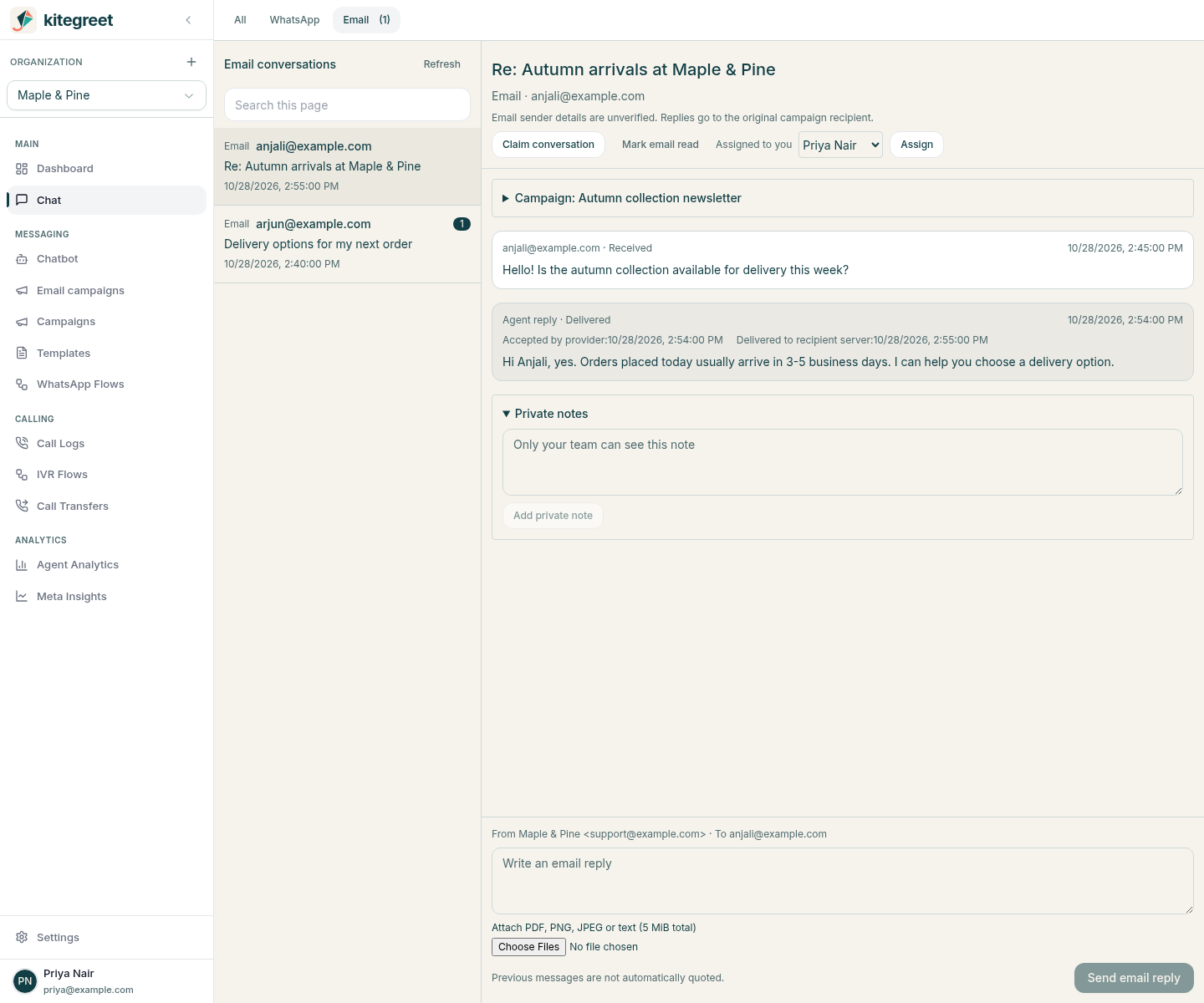
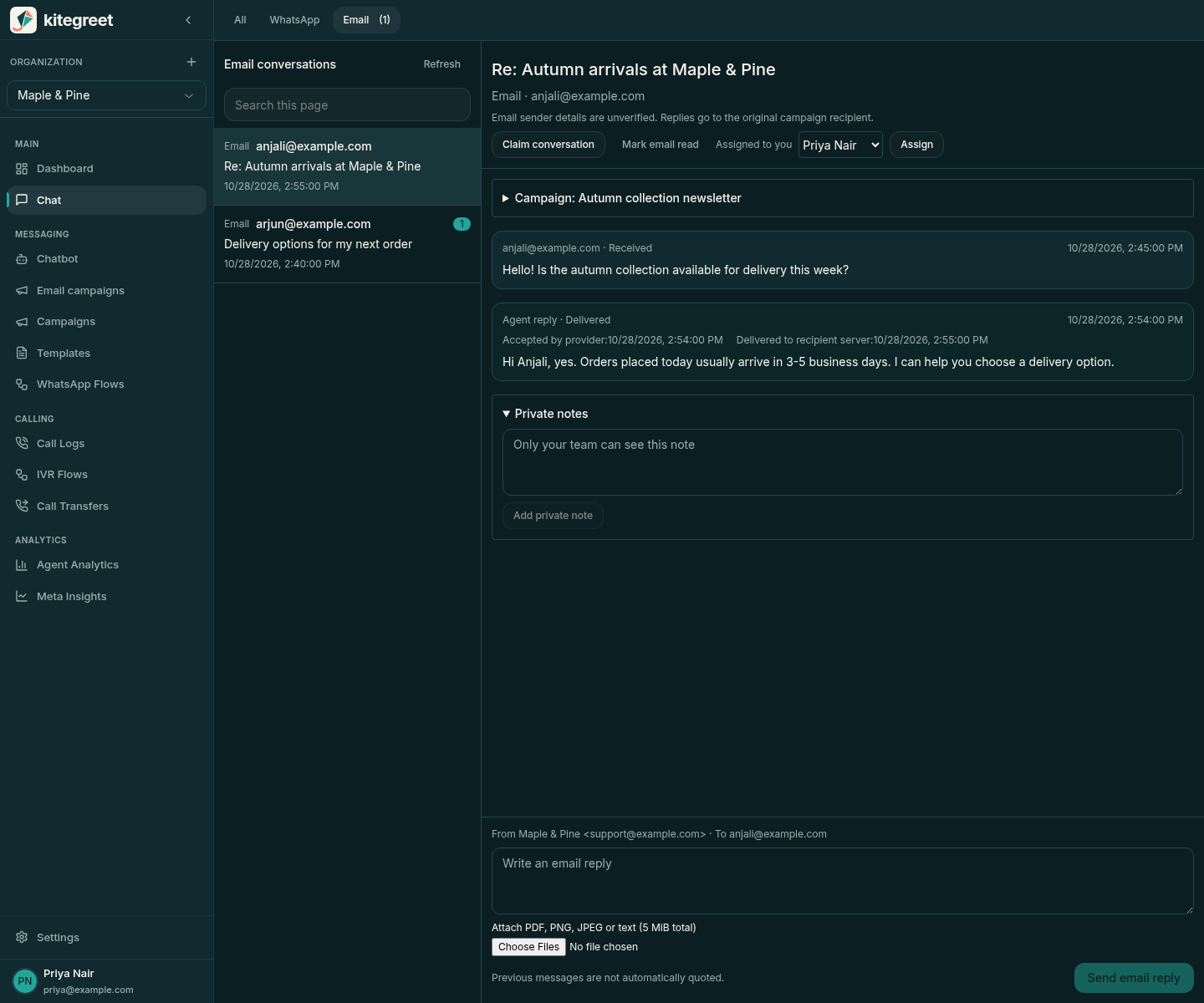
Screenshots use synthetic demonstration data; they do not show live email delivery.
The existing team inbox has All, WhatsApp, and Email channel filters. All shows recent email threads alongside the existing WhatsApp contact list; Email has its own paginated thread list and composer. Campaign sending creates no unread conversations. A conversation appears when a human reply reaches its opaque recipient routing address. Each campaign recipient gets one durable route at the first send attempt when an enabled, checked mailbox is available. Without integrated inbound, the campaign keeps its configured business Reply-To mailbox. Existing emails already sent to the business Reply-To are not imported.
Configure Postmark receiving and conversation sending
Section titled “Configure Postmark receiving and conversation sending”An administrator performs these steps manually. KiteGreet never changes DNS, Postmark servers, domains, streams or webhook settings.
-
Keep the business’s main mailbox and MX records as they are. Choose a dedicated subdomain, such as
replies.example.com, which is not used by an existing mailbox. Set its MX record toinbound.postmarkapp.com, priority 10. Set that exact subdomain as the Postmark server’s inbound domain. Postmark supports one inbound stream and one inbound domain per server. Wildcard domains and forwarding a general business mailbox are not supported by this integration. -
Configure and save the campaign sender first. For Postmark, separately create or select an active Transactional stream for conversation replies, such as
outbound. The Broadcast campaign stream is never selected implicitly for replies, and conversation messages have no campaign unsubscribe footer. The existing verified-domain and server/account ownership checks also apply to this Transactional stream. After saving the mailbox, configure verified, authenticated Delivery, Bounce and SpamComplaint webhooks on that Transactional stream, using the campaign sender’s displayed delivery callback URL (/api/email/postmark/ORGANIZATION_UUID), usernamekitegreet, and the saved outbound webhook password. This is a separate stream binding at the same organization endpoint; transactional events do not require Broadcast stream ownership or a SubscriptionChange subscription. Keep the campaign Broadcast stream’s existing Delivery/Bounce/SpamComplaint/SubscriptionChange hooks unchanged. The outbound password differs from the mailbox’s inbound callback password. Conversation replies must comply with Postmark’s transactional sending rules; do not use the composer to send unsolicited marketing. For SES, the explicitly saved regional sender, IAM credentials and configuration set are copied into a separate conversation configuration, using the same verified identity, production access, suppression and quota checks. Enable DELIVERY, BOUNCE, COMPLAINT and DELIVERY_DELAY on that configuration set’s SNS event destination before saving a conversation mailbox. Keep the exact retained account, region, configuration set, topic and confirmed HTTPS subscription to/api/email/ses/ORGANIZATION_UUID, with raw delivery disabled and no subscription filter. Optionally publish SEND as well, so authenticated send notifications can confirm acceptance before a delivery outcome arrives. DELIVERY_DELAY is required for conversation readiness; existing campaign readiness still requires only DELIVERY, BOUNCE and COMPLAINT. The phase 1 SES IAM policy already grantsses:SendEmail; receiving uses separate explicit credentials described below, never the outbound key or ambient host credentials. -
Open Settings > Email > Email inbox settings. Enter the dedicated inbound subdomain, inbound Postmark server/account tokens, a separate random 32-200 character callback password and the Postmark conversation Transactional stream. Save the mailbox. Saving retains verified outbound server/stream ownership with readiness unset, allowing Postmark delivery webhook verification to authenticate before the first readiness check. Save copies the current outbound sender credentials into an independently encrypted conversation configuration; subsequent campaign sender changes do not silently change this mailbox’s identity or provider.
-
In the Postmark inbound stream settings, set the displayed callback URL with HTTPS Basic Auth:
https://kitegreet:URL_ENCODED_PASSWORD@crm.example.com/api/email/postmark/inbound/MAILBOX_UUIDUse username
kitegreetand the saved password. URL-encode reserved characters in the password. Do not put this credential-bearing URL in tickets, logs or screenshots. Postmark inbound callbacks are not signed and use different verification behavior from outbound event webhooks. -
Click Check mailbox readiness. KiteGreet reads the receiving server’s domain, account ownership, callback URL and authentication configuration, then checks the independent outbound conversation configuration. It does not send email or verify real MX delivery during this check. A generic Postmark sample callback has no KiteGreet route and is rejected; use the local fixture for development and an explicitly authorized real campaign/reply round trip for production acceptance.
Receiving bindings retain server and domain ownership across configuration changes. A server/domain cannot be transferred to another tenant while retained history exists. Only one mailbox is enabled for newly prepared campaign routes at a time. Old routes continue accepting authenticated late callbacks even when their mailbox is disabled; replying from a disabled or unready mailbox returns an actionable error. An already authorized outbound request can finish during a configuration change.
Configure SES receiving
Section titled “Configure SES receiving”This receiving integration supports one operational topology: commercial AWS us-east-1, with the SES receiving identity, active receipt rule set, private S3 bucket and standard SNS topic in the same AWS account and region.
The outbound SES region is independent and is never assumed to support receiving.
AWS supports receiving in several regions, but this implementation deliberately accepts only us-east-1 and reports an actionable error for other configurations.
See the current AWS receiving endpoint table before choosing infrastructure.
The supported encryption is SSE-S3 AES256 with SES message encryption disabled.
SES receipt-action KMS encryption encrypts the MIME with an S3 encryption client before upload; ordinary S3 GetObject cannot decrypt it.
SSE-KMS, client-side encryption, cross-account buckets, role assumption and encrypted SNS topics are unsupported in this integration.
See S3 receipt actions and encryption.
Run the standard application migration before enabling SES receiving. It adds receiving bindings/receipt outcomes and explicitly removes the legacy Postmark server ID NOT NULL constraint, preserving existing server IDs and their uniqueness. Receiving and outbound credentials/bindings are separate, even when using one AWS account. Each retained receiving mailbox exclusively owns its domain, bucket, topic and receipt rule. Shared buckets, shared SNS topics, overlapping receipt rules and reuse of an outbound event topic are rejected, including reuse by the same organization. An AWS account and active rule set may serve several tenants only with disjoint exact subdomain rules, dedicated buckets/topics and separately scoped IAM users. The account operator remains trusted to maintain IAM, resource policies and object integrity. The application cannot prevent an AWS account administrator from changing infrastructure or publishing/replacing data outside these policies.
-
Verify the exact dedicated subdomain in SES
us-east-1, such asreplies.example.com. Publish only that subdomain’s MX with priority 10, valueinbound-smtp.us-east-1.amazonaws.com. Do not change the business domain’s MX or reroute its normal mailbox. -
Manually create a dedicated S3 bucket in
us-east-1, with a name containing lowercase letters, digits and hyphens only. Enable all four Block Public Access controls, disable ACLs withBucketOwnerEnforced, and set default encryption to SSE-S3 AES256. Choose a nonempty, single-level opaque prefix ending in/, such astenant-9b9a6c/. Use no default Object Lock retention on the bucket. Apply the scoped SES write policy below, with the exact receipt rule ARN. Grant no public access or unrelated writers; the integration rejects wildcard or other-principal PutObject grants in this policy. -
Create a dedicated unencrypted standard SNS topic in
us-east-1in the same account. Its policy must allowses.amazonaws.comto perform onlysns:Publishon that topic, conditioned on the exact account and receipt rule ARN. Replace the console’s broad default owner Publish statement with the scoped policy below; grant operator administration through IAM identity policies. Keep raw delivery and subscription filters disabled. Configure SNS delivery-failure monitoring and a dead-letter queue/replay process manually if required. -
Add an enabled receipt rule matching only the exact subdomain, with spam/virus scanning enabled. It must contain exactly two ordered actions: S3 with the exact bucket, prefix and topic notification, then Stop rule set without a topic. Set no S3 action IAM role and no SES message-encryption KMS key. The notification must be the S3 action’s notification, not a separate SNS action containing MIME, a bucket ObjectCreated notification, or an outbound SES event destination. Activate the configured rule set manually. Remove catch-all rules and any other enabled rule that overlaps the dedicated domain. AWS evaluates rules and their actions in order; storing MIME and publishing from that S3 action avoids notifying before storage. See receipt rule ordering and receipt notification fields.
-
Create a dedicated IAM user with an explicit access key pair for receiving. The read-only permissions below are separate from campaign and conversation sending. No receiving access uses the application’s ambient AWS credential chain. Grant no SendEmail, PutObject, DeleteObject, Publish, Subscribe, ConfirmSubscription or resource-administration permissions to this user.
-
Save an outbound campaign sender first, including its independently verified conversation delivery callbacks. In Email inbox settings, select AWS SES as receiving provider and enter the exact region, account, bucket, prefix, rule set, rule, topic and receiving key pair. The Postmark conversation Transactional stream field applies only when the independently copied outbound provider is Postmark. The receiving subscription ARN may be blank for the first save. Saving verifies account/domain/rule/storage/topic ownership and reserves the binding, but does not mark it ready or create AWS resources.
-
Manually create an SNS HTTPS subscription to the displayed receiving URL,
/api/email/ses/inbound/MAILBOX_UUID. This is distinct from outbound callbacks at/api/email/ses/ORGANIZATION_UUID. SNS sends a signed confirmation envelope to the retained mailbox binding. Select Show verified receiving confirmation as an account administrator, inspect the link, and open it manually to confirm in AWS. KiteGreet verifies the signature, exact topic and canonical AWS confirmation URL, encrypts the link, and never fetches SubscribeURL or automatically confirms a subscription. Certificate downloads use the existing regional AWS-only path checks, bounded certificate reads, verified certificate validity and disabled redirects. Save the confirmed subscription ARN on this mailbox. -
Manually upload the following UTF-8 probe object to
PREFIX/kitegreet-readinessusing SSE-S3 AES256, replacing the account, domain and rule ARN. Include a newline after the final line. This safe marker tests the receiving user’s actual GetObject access and encryption without sending email or exposing arbitrary object selection.kitegreet-ses-receiving-v1123456789012replies.example.comarn:aws:ses:us-east-1:123456789012:receipt-rule-set/inbox:receipt-rule/tenant -
Select Check mailbox readiness. The check validates STS IAM-user account, exact verified receiving domain, active rule set and action order, bucket ownership/region/encryption/public-access/ACL/Object Lock default-retention controls, scoped bucket/topic policies, the probe, confirmed subscription owner/protocol/endpoint/attributes, dedicated subdomain MX and independent outbound conversation readiness. No email is sent. Errors identify the configuration to repair; failed readiness clears the local ready flag. Infrastructure can drift after a successful check, so monitor receiving errors and recheck after operator changes.
Example S3 bucket policy, replacing every account, ARN, bucket and prefix with the binding’s exact values:
{ "Version": "2012-10-17", "Statement": [{ "Effect": "Allow", "Principal": {"Service": "ses.amazonaws.com"}, "Action": "s3:PutObject", "Resource": "arn:aws:s3:::tenant-receiving/tenant-9b9a6c/*", "Condition": {"StringEquals": { "AWS:SourceAccount": "123456789012", "AWS:SourceArn": "arn:aws:ses:us-east-1:123456789012:receipt-rule-set/inbox:receipt-rule/tenant" }} }]}Use the same condition and principal for the SNS policy, with action sns:Publish and resource arn:aws:sns:us-east-1:123456789012:tenant-receiving.
The policy checker intentionally accepts a narrow policy shape: string Action/Resource, SES Service principal, and StringEquals SourceAccount/SourceArn.
Wildcard actions and Allow NotAction/NotPrincipal/NotResource shapes are rejected.
Extra Deny statements are allowed, but AWS can still reject actual access if an SCP, permissions boundary or other explicit deny blocks it.
See AWS receipt permissions.
Example least-privilege receiving IAM-user policy:
{ "Version": "2012-10-17", "Statement": [ {"Effect": "Allow", "Action": ["sts:GetCallerIdentity", "ses:GetIdentityVerificationAttributes", "ses:DescribeActiveReceiptRuleSet"], "Resource": "*"}, {"Effect": "Allow", "Action": ["s3:ListBucket", "s3:GetBucketLocation", "s3:GetEncryptionConfiguration", "s3:GetBucketPublicAccessBlock", "s3:GetBucketOwnershipControls", "s3:GetBucketObjectLockConfiguration", "s3:GetBucketPolicy"], "Resource": "arn:aws:s3:::tenant-receiving"}, {"Effect": "Allow", "Action": "s3:GetObject", "Resource": "arn:aws:s3:::tenant-receiving/tenant-9b9a6c/*"}, {"Effect": "Allow", "Action": ["sns:GetTopicAttributes", "sns:ListSubscriptionsByTopic", "sns:GetSubscriptionAttributes"], "Resource": "arn:aws:sns:us-east-1:123456789012:tenant-receiving"} ]}The bucket-level ListBucket permission is required for HeadBucket ownership checks; do not grant access to other buckets. SES receiving inspection operations have account-level read scope; do not expand these to mutation actions. The administrator uploading the probe uses separate operator credentials, never the application receiving user. Credentials are encrypted with the application’s encryption key, omitted from responses and cleared from the form after saving. Keep that encryption key and database backups protected; database encryption is not a substitute for key management.
SES receiving processing, retention and recovery
Section titled “SES receiving processing, retention and recovery”Only a verified SNS envelope on the retained receiving topic can reach S3 retrieval.
The binding supplies the tenant/account/region/bucket/prefix; payload tenant IDs and MIME From/To/Reply-To headers grant no ownership.
The action must be S3, with the exact topic and bucket.
Its object key must equal either the exact SES mail.messageId described in the AWS notification contract or that ID with the retained prefix.
Retrieval always uses the locally derived PREFIX + mail.messageId, so neither notification shape authorizes arbitrary storage keys.
Keys remain opaque and are never interpreted as URLs or filesystem paths.
Every matched receipt.recipients envelope address must have the mailbox’s exact domain.
mail.destination is informational only: AWS documents it as header-derived, so it cannot authorize routing and need not contain BCC envelope recipients.
Only routes already retained for that tenant/mailbox can create conversations; unknown routes are ignored without fetching MIME.
Mixed known and unknown routes, including ordinary addresses such as help@replies.example.com, process only the known opaque routes.
A message delivered to several valid local routes creates one separately attributed message per route.
No sender-address, subject, identity or cross-route reference can merge their threads.
Both spam and virus verdicts must be PASS.
FAIL, GRAY, PROCESSING_FAILED and missing verdicts are acknowledged as rejected_verdict without fetching MIME or creating unread threads.
SPF/DKIM/DMARC headers remain unverified content for application identity purposes; the opaque route controls attribution.
This conservative inbox policy does not perform an SMTP bounce or delete the stored object.
S3 requests use explicit credentials, expected bucket owner, a byte range, a 20-second deadline and at most two SDK attempts. Raw MIME is limited to 10 MiB even if S3 ignores the range or omits Content-Length. Decoded bodies are limited to 2 MiB, attachments to 10 and 5 MiB aggregate, with a separate 7 MiB transfer-decoding budget. Parsing accepts base64/quoted-printable, multipart alternatives and supported charset conversions, with at most 8 nesting levels, 100 MIME parts, 200 headers per section, 64 KiB header data per section, 10,000 characters per header value and 200-character attachment filenames. Unsupported charsets, malformed MIME, oversized raw/decoded data, nested message attachments, unsafe filenames and disallowed file types are rejected without archive expansion or external URL access. The same attachment allowlist and inert HTML rendering as Postmark apply.
email_inbound_receipts stores content-free, durable outcomes per binding, SES message ID and route.
Recent receiving outcomes lists the latest 50 completed outcomes for account readers; no raw payload or credentials are exposed.
Malformed MIME and oversize/encryption failures produce rejected_mime or rejected_raw; scan failures produce rejected_verdict.
Temporary S3/database errors return HTTP 503 without marking incomplete routes complete.
Retrying the signed notification fetches again and processes only unfinished routes; messages, attachments and unread increments commit atomically with per-route completion.
A different SNS notification ID or S3 redelivery does not create duplicate messages.
RFC Message-ID duplicates are deduplicated inside each route as well.
Out-of-order references fall back to that route’s existing conversation.
Ownership-invalid notifications return 401/422 and never authorize alternate storage, domains or tenants.
Monitor HTTP failures as well as completed outcomes, because rejected authentication and transient failures do not create a completion row.
Inbound SQL logging suppresses parameter interpolation to avoid putting MIME or credentials into application logs.
Set an S3 lifecycle/retention policy manually according to the organization’s legal and recovery needs, and keep the readiness probe available for future checks. KiteGreet never deletes raw S3 MIME, provisions lifecycle policies, expires inbox attachments, purges deduplication history or cleans up AWS resources/subscriptions automatically. Raw MIME remains in operator-controlled S3 even when the application rejects it; scope operator access, encryption, backups and monitoring accordingly. Accepted attachments remain private database byte arrays and have the existing inbox limitations: no application-level attachment encryption, malware-scanning service or content disarm, and no automatic retention engine. SES verdicts do not make downloaded files inherently safe.
Rotate both receiving IAM key fields together on the existing mailbox, save and recheck readiness before revoking the old key in AWS. Blank key fields retain the encrypted pair. Subscription ARNs may change after manual confirmation, but receiving account/region/topic/bucket/prefix/rule/domain/provider are immutable. To change infrastructure, add a new mailbox with a new subdomain, bucket, topic and rule, preserving the old binding, IAM access, MX, S3 objects and subscriptions for replies to historical routes. Disabling a mailbox stops new campaign routes and agent replies, while authenticated inbound on its historical routes continues to be accepted regardless of current readiness. Late outbound delivery callbacks also retain their original ownership.
For transient recovery, restore object access or database availability, then replay the original SNS envelope to its original mailbox callback, or use a separately authorized operator SNS redrive with the original Received payload. Never edit the object key, tenant, topic or recipient fields to bypass ownership validation. Do not delete completion rows for routes that already persisted messages. Permanent policy/MIME rejections are intentionally not retried automatically; inspect the source in restricted operator tooling, resolve the cause and obtain separate authorization for narrowly scoped removal of only the rejected receipt marker before replay if appropriate. A replay is still subject to Message-ID deduplication and current retained route ownership. Expired S3 objects cannot be reconstructed from content-free receipt diagnostics; recovery requires operator backups or a fresh customer reply.
Before production acceptance, separately authorize a real test campaign to a controlled customer, verify its Reply-To uses the dedicated inbound subdomain, reply with plain text/HTML and an allowed attachment, claim the inbox thread, add a private note, send an agent response and reply again. Verify campaign context, assignment, unread/read state, attachment permissions and asynchronous delivery callbacks in desktop/mobile views. Verify a duplicate callback leaves unread counts unchanged, and a disabled historical mailbox still receives late replies while blocking agent sends. This implementation’s tests use local AWS/DNS/S3 mocks and signed SNS fixtures; live AWS setup, MX delivery, provider round trips and recipient-client threading remain untested.
Inbox workflow and permissions
Section titled “Inbox workflow and permissions”Agents need chat:read to read email conversations and attachments, and chat:write to reply or add private notes.
As with existing contacts, contacts:read grants organization-wide visibility; agents without it see only assigned email conversations.
Unassigned conversations are visible to users with broad visibility, who can claim them.
Reassignment requires contacts:write, and the recipient must be an active organization member with inbox access.
An email address, display name, From header or opaque reply token never grants application authorization.
Email From is displayed as unverified content.
The composer always sends to the original campaign recipient, ignoring inbound Reply-To/CC claims, and does not perform reply-all.
Email identities are never implicitly merged with WhatsApp contacts or other names/subjects.
There is no automatic cross-channel context linking in this phase.
The thread shows the recipient’s frozen campaign content, subsequent inbound and outbound messages, assignment, unread state and private notes. The email list refreshes every ten seconds while visible; opening a thread marks the displayed range read, and Mark email read handles later messages. Reply text is escaped into safe HTML and also sent as plain text. Previous messages are not automatically quoted, avoiding repeated attachments, tracking content and accidental disclosure of private notes. The composer supports PDF, PNG, JPEG and plain-text attachments within the inbound limits below. Private notes are never included in provider requests.
Threading uses RFC Message-ID, In-Reply-To and References within the validated mailbox/tenant and opaque recipient route. Postmark rejects known references to another route. SES resolves references only inside the already validated route, allowing one envelope to reach multiple local routes without merging their conversations. Missing or late reference IDs fall back to the durable route; subject and sender names never merge threads. Provider IDs and RFC header IDs are stored separately, and callback redelivery is deduplicated transactionally. Postmark supports a custom outbound Message-ID. SES replaces Message-ID and disallows it as a Simple custom header, so its actual RFC ID remains unknown locally; In-Reply-To/References are sent and the durable reply address remains authoritative for receiving. As with all email clients, visual threading in the recipient’s mail client needs a live smoke test.
Attachments, rendering and retention
Section titled “Attachments, rendering and retention”Inbound JSON, SES raw MIME and reply requests are limited to 10 MiB, with text plus HTML limited to 2 MiB on inbound messages.
Up to 10 attachments, 5 MiB total decoded, are accepted per message.
These application limits are intentionally below Postmark’s 35 MB cumulative inbound attachment limit.
Filenames, extensions, declared MIME types, detected content types and decoded lengths are validated.
Only PDF, PNG, JPEG and plain text are accepted; HTML, SVG, archives, executables and remote attachment URLs are unsupported.
Attachments are stored in tenant-scoped PostgreSQL rows, accessed only through the authorized conversation and downloaded as attachments with nosniff, restrictive CSP and no-store headers.
No public storage URLs or remote URL fetching are used.
There is no malware scanning or content-disarm platform; downloaded PDFs and other allowed files still require normal endpoint protection and careful handling.
Inbound HTML is reduced to inert structural tags with no attributes, CSS, links or images. Formatted viewing additionally uses a scriptless sandbox iframe and CSP that blocks all network requests. Remote images remain blocked. Plain text remains available when HTML is malformed or absent. Automated replies and bulk/junk/report messages identified by control headers are acknowledged without opening a thread or sending an automatic response. Unknown routing addresses never open conversations; a route can create at most one conversation. Authenticated inbound has a separate per-organization 1000-request/minute limit and fails closed if Redis is unavailable.
History and attachments are retained until an operator removes them under the organization’s retention policy; there is no automatic expiration or self-service deletion in this phase. Include the new email tables in encrypted backups, access controls and storage monitoring. Apply any required legal retention policy before enabling production use. Preserve receiving bindings, route ownership and deduplication records for the supported late-callback window when designing a purge procedure; deleting them early can reject legitimate retries or permit duplicate messages.
Rotation and operational recovery
Section titled “Rotation and operational recovery”Edit the existing mailbox to rotate credentials without changing its receiving server/domain or outbound provider/From identity. Blank credential fields retain existing credentials. For Postmark, saving immediately revokes the previous inbound password and clears readiness, with no grace period. Update the Postmark callback password and recheck readiness promptly. A readiness failure also clears the local ready flag. Keep historical hooks and credentials available for old routes that must still receive replies. Moving to another receiving server/domain or outbound identity requires a new mailbox binding; do not repurpose retained tenant ownership. Campaign provider switching has no effect on an existing mailbox’s encrypted conversation sender snapshot.
Reply requests commit a durable attempt before sending and require a client request UUID.
Repeating the same request UUID with the same content returns that attempt; changing the content with that UUID is rejected.
Client reconnect retries never automatically send another email.
An accepted response means provider acceptance, not delivery or a human read.
New replies retain a durable, random reply_attempt_id before calling the provider, with an immutable tenant/mailbox/conversation/message/recipient and verified provider binding.
Outbound metadata or SES tags contain organization_id, mailbox_id, conversation_id, message_id and reply_attempt_id.
The attempt stores safe request routing and synchronous response snapshots; normalized callback history omits raw message content, credentials and provider diagnostics.
Authenticated SES Send, delivery, bounce or complaint events can confirm provider acceptance even if the send times out or the callback arrives before the send response commits.
A late send response cannot erase callback facts, and uncertainty never triggers an automatic resend.
The inbox polls every ten seconds and shows accepted, delivered, deferred, bounced, complained, failed or uncertain status, alongside available acceptance/delivery/deferred/permanent-bounce/complaint timestamps and safe explanations. Delivered means the recipient server accepted the message; it does not establish inbox placement, an open or a human read. Complaint takes precedence over permanent bounce, then delivery, temporary failure, and acceptance, regardless of callback arrival order. Acceptance time is the synchronous response time or the earliest authenticated callback that establishes acceptance; the latter is confirmation time, not an exact provider send timestamp. Each delivery fact retains its earliest observed provider timestamp and normalized history retains distinct events; duplicates are recorded once. Postmark HardBounce and BadEmailAddress, and SES Permanent bounces, count as permanent failures. Other Postmark bounce types and SES non-permanent bounces are shown as temporarily unsuccessful; Inactive alone never turns these conversation events into a permanent bounce. SES DeliveryDelay is also recorded as deferred. A later delivery can resolve a temporary failure, but cannot erase an observed permanent bounce or complaint. Inbound unread/read state and conversation assignment are independent of these delivery facts.
Conversation callbacks do not update campaign recipients or KiteGreet’s marketing suppression table, including transactional SubscriptionChange events. Existing campaign callback suppression policy is unchanged. An organization marketing unsubscribe does not by itself prohibit an explicitly requested customer-service reply; the conversation sender still checks its provider’s suppression list before every send and does not override provider blocks, hard-bounce suppressions or complaints. Agents must review complaint/permanent-bounce reasons before further contact; there is no new retry or suppression-override UI.
Retained bindings authenticate historical events after campaign sender changes, mailbox disablement and credential rotation. Postmark callbacks use the current secret of the retained server/stream binding; saving a mailbox after rotating its copied outbound password replaces that binding’s password immediately, so update the provider webhook accordingly. Readiness checks bootstrap missing bindings for existing mailboxes, but never rotate an existing stream password; password drift requires an explicit mailbox save. Historical binding ownership cannot move between tenants. SES correlation checks the original From mailbox and allows only its exact configured domain ARN or that exact From mailbox identity ARN, since SES may select a separately verified email identity. Both ARN forms retain the original account and region, alongside the exact verified topic/configuration-set binding. The SES provider send ID remains separate from the RFC Message-ID; SES rewrites that header and no RFC header ID is inferred from the send ID. Replies created before this tracking slice have no new attempt correlation and are not backfilled.
Unknown or mismatched conversation callbacks cannot mutate messages, campaign reporting or suppression records. Authenticated unmatched events are acknowledged and discarded, without a pending-event queue or raw-payload storage. Malformed or ownership-invalid SES payloads retain the existing callback error behavior; transient database failures return 503 so the provider can retry. Callback body size and organization rate limits remain enforced. For recovery, correct the provider subscriptions/authentication, use the retained attempt metadata in provider activity, and replay the original event through the authenticated callback; do not invent metadata or resend an uncertain reply. For uncertain replies, reconcile provider activity using the stored provider message ID when available and the full attempt metadata or SES tags before composing a replacement. Do not treat uncertainty as a definite rejection. Interrupted outgoing attempts older than two minutes become uncertain during worker recovery or a repeat of their request UUID.
The inbound endpoint returns 200 only after durable ingestion, deduplication or intentional automated-message suppression. Malformed data and unknown routes are rejected; temporary database/limiter failures return 503 for retries. Postmark’s inbound documentation says non-200 responses are retried, with 403 stopping retries; this endpoint does not use 403 for transient or routing errors. Monitor Postmark Inbound Errors and retry delivery from Postmark after correcting credentials, routing, payload limits or storage availability. Do not increase limits blindly to ingest active content or an unbounded backlog.
Production acceptance prerequisite
Section titled “Production acceptance prerequisite”Live campaign delivery and the real reply round trip have not been tested. Local tests and browser acceptance use disposable PostgreSQL/Redis, real application handlers and mocked providers that cannot deliver mail. Before production acceptance, an administrator must verify DNS/MX, provider permissions, sender/domain authentication, Transactional stream selection, authenticated callbacks and rate limits, then explicitly authorize a live campaign -> customer reply -> assignment/note -> agent reply -> subsequent customer reply smoke test on desktop and mobile. No credentials or external provider changes are required for local development.
Operator configuration
Section titled “Operator configuration”Back up the database, then run the normal additive migrations with ./kitegreet server -migrate before enabling email.
No WhatsApp columns are changed or backfilled.
Use the same encryption key and email settings on every API and worker process.
[app]encryption_key = "replace-with-a-random-secret-of-at-least-32-bytes"
[email]enabled = falsepublic_url = "https://crm.example.com"rate_per_minute = 60
Set public_url to the externally accessible HTTPS application URL, including the base path if your reverse proxy strips it before forwarding requests.
Keep this URL stable so unsubscribe links in old campaigns remain usable.
Environment overrides follow the existing configuration convention, for example KITEGREET_EMAIL__ENABLED.
Enable email.enabled only when you intend to allow campaign sending.
Disabling it stops new launches and worker consumption after processes reload their configuration; an already started request can still complete.
Existing WhatsApp workers do not query the email queue when email is disabled.
Use ./kitegreet server for embedded workers or run ./kitegreet worker -workers=4 separately.
A server with -workers=0 requires a separate worker for scheduled email to run.
Email uses its own durable PostgreSQL recipient queue and Redis rate-limit namespace, independent of WhatsApp’s Redis stream.
The worker scans due work every second and serializes each campaign’s send authorization with row locks.
Redis availability is required to send; limiter failures fail closed.
The default limit is 60 attempts per minute per organization across workers, with fixed windows.
Test validation has a separate five-per-minute limit.
Postmark account setup
Section titled “Postmark account setup”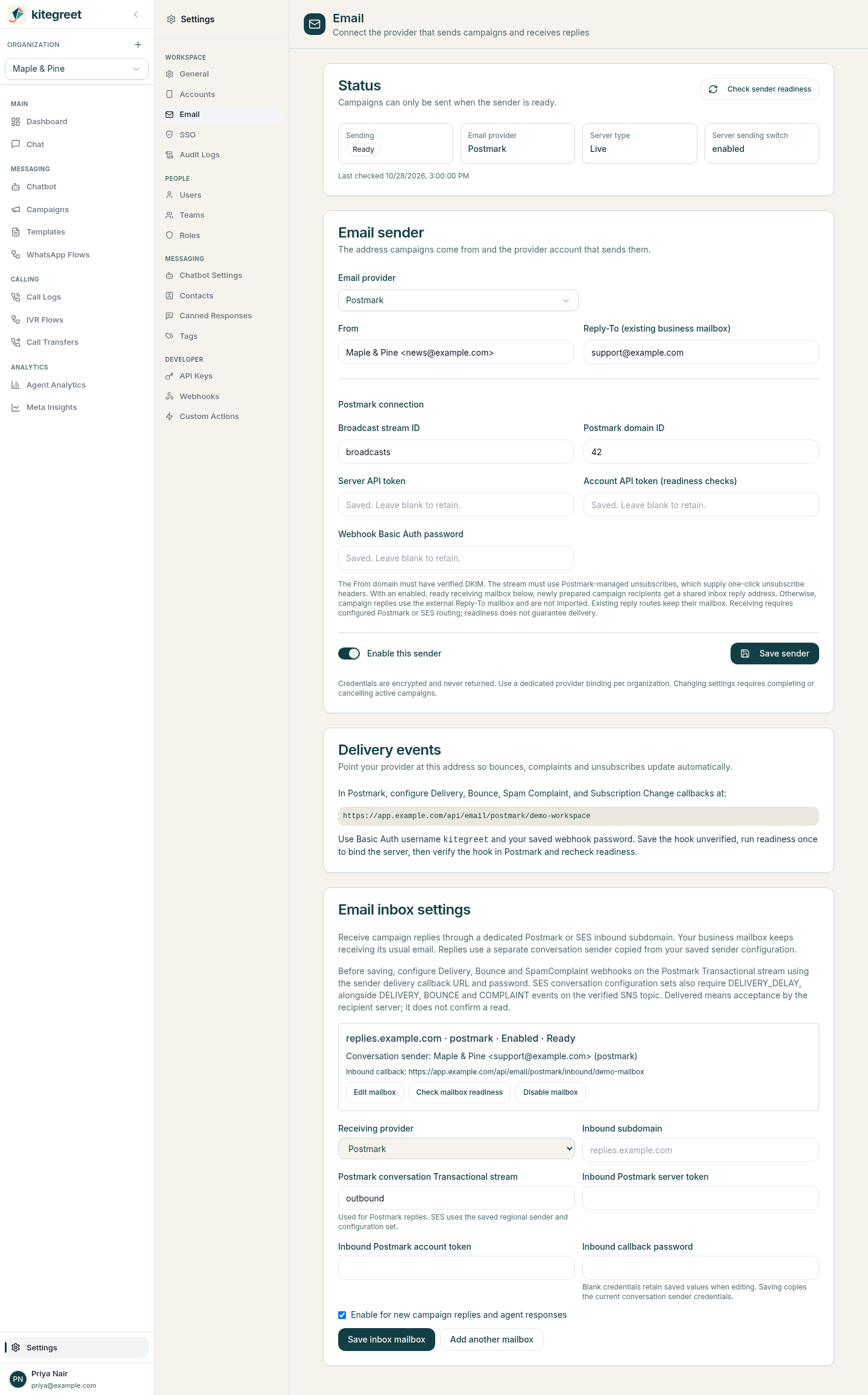
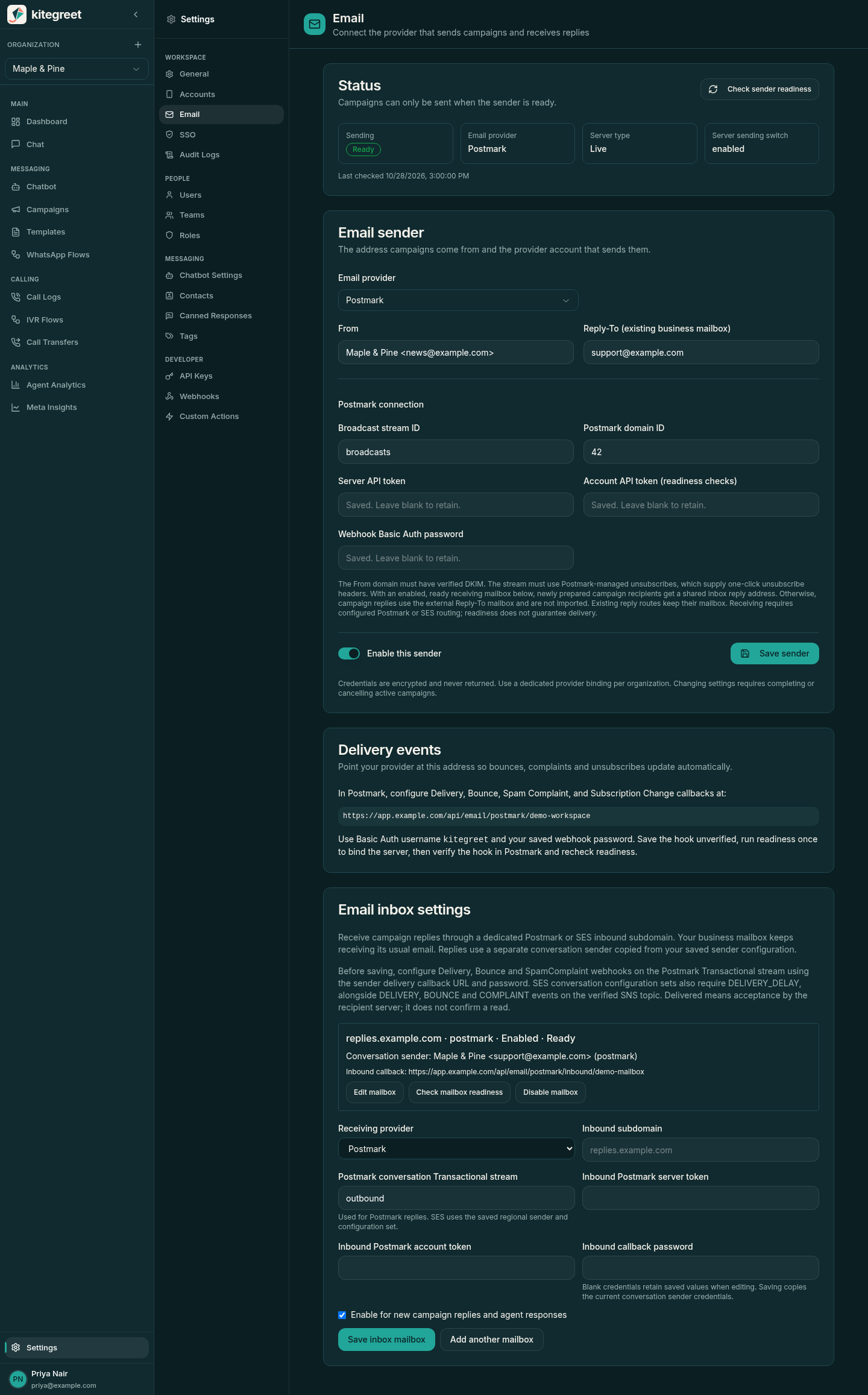
A business administrator must perform the following steps in Postmark. KiteGreet only reads provider setup and sends explicit email requests; it does not create domains, change DNS, create streams, or configure webhooks.
-
Create a dedicated Postmark server and Broadcast stream for the organization. A server/stream binding cannot be shared with another KiteGreet organization, including bindings retained for historical callbacks.
-
Verify the sending domain and DKIM in Postmark. Phase 1 requires a domain with verified DKIM and a key that Postmark does not mark weak; individual sender-signature-only setups are not supported. Postmark’s DKIM flag records historical verification, so operators must also maintain the DNS record and monitor domain authentication in Postmark.
-
Keep the stream’s unsubscribe handling set to Postmark. Transactional streams, archived streams, and custom/disabled unsubscribe management are rejected.
-
Open Settings > Email in KiteGreet. Configure the server token, account token, numeric domain ID, explicit Broadcast stream ID, From, Reply-To, and a random webhook password of 32-200 characters. The account token is needed to read domain readiness and has account-wide privileges; restrict who can edit sender settings. From must belong to the selected domain. Reply-To must be a single existing business mailbox, such as
support@example.com. -
Save the enabled sender. KiteGreet encrypts tokens and webhook credentials using its existing AES-GCM facility and never returns plaintext secrets. Blank credential fields on subsequent saves retain existing values.
-
Configure outbound Delivery, Bounce, Spam Complaint, and Subscription Change webhooks in Postmark using the displayed URL:
https://crm.example.com/api/email/postmark/ORGANIZATION_UUIDSet HTTP Basic Auth username to
kitegreetand password to the value saved in KiteGreet. Postmark does not sign callbacks; KiteGreet authenticates Basic Auth and validates the bound organization, server, stream, recipient, and attempt metadata. Use HTTPS, and optionally allowlist Postmark’s documented webhook IP ranges at the reverse proxy. -
For initial binding, save the hook unverified (
Verify: falseif using Postmark’s API), then run Check sender readiness once. This records the validated domain/server/stream ownership even if callback verification is still pending. Verify the hook in Postmark, then recheck readiness in KiteGreet. All four enabled event types must be reported verified and have matching credentials before campaigns can launch. -
Use a Postmark Sandbox server first. KiteGreet’s Validate with Postmark action always uses
POSTMARK_API_TEST, which validates the request without delivery. Test Sandbox server is available only when Postmark confirmsDeliveryType: Sandbox. Both use the signed-in user’s email address and do not deliver email. Send confirmed live test sends one email only to the signed-in user after an explicit confirmation checkbox. It requires a ready Live server, enabled sender and operator sending switch, and passes local/provider suppression checks. Each test has a durable history record, uses its own rate limit, and never retries automatically. Use this only when you intend real delivery; tests do not grant marketing consent.
Sender updates require completing or cancelling scheduled, running, or paused campaigns. Each launched campaign keeps its original From, Reply-To, stream, and sender configuration version. Historical callback bindings remain owned by the original organization. Rotating a binding’s webhook password revokes the previous password immediately; there is no credential grace period. If multiple historical streams remain in use, rotate each binding and its corresponding Postmark hook explicitly. Coordinate password changes in Postmark and KiteGreet, then rerun readiness checks. Do not rotate the application encryption key without a credential and unsubscribe-token migration: old credentials and signed links depend on it.
AWS SES setup
Section titled “AWS SES setup”SES uses the official AWS SDK for Go v2 and the SES v2 single-recipient SendEmail API.
Only commercial AWS regions and dedicated, long-term IAM-user access keys are supported in this slice.
Cross-account delegated sending, instance profiles, host environment credentials, assumed roles, temporary session credentials, SMTP credentials and automatic provider fallback are unsupported.
Each organization supplies its own encrypted credentials; KiteGreet never loads the host AWS credential chain.
KiteGreet verifies the credential account with STS before accepting readiness.
Prefer a separate AWS account per organization where possible.
Organizations sharing an AWS account share its regional SES quotas and account suppression list, even with separate IAM users and configuration sets.
An AWS administrator performs these steps manually:
-
Select one explicit SES region and verify the exact From domain identity there. Enable DKIM signing and publish the DNS records until SES reports
SUCCESSand verified sending status. If using custom MAIL FROM, its DNS verification must also succeed. Maintain SPF/DMARC and DKIM DNS records according to your deliverability policy. -
Enable account and configuration-set sending, resolve reputation restrictions, and request production access in that region through AWS. SES sandbox can deliver real email to verified addresses; KiteGreet blocks sandbox campaign sends and does not offer a sandbox delivery-test button. Production access is required even when all campaign recipients happen to be verified.
-
Create a dedicated configuration set and a Standard SNS topic in the same account and region. Enable configuration-set event publishing for Delivery, Bounce and Complaint to that topic. Identity-level feedback notifications do not supply the durable tags this integration requires. Disable open/click tracking destinations unless independently required; KiteGreet does not request tracking or interpret opens as reads.
-
Restrict SNS publishing to SES and this configuration set using the example topic policy below. Remove unrelated
sns:Publishgrants, especially public or cross-account publisher permissions. Restrict the IAM user to the example application policy and your exact From address, identity, configuration set and SNS topic. Do not grant AWS resource creation, DNS changes, subscription confirmation, production-access requests or IAM administration to KiteGreet. -
In Settings > Email, select AWS SES and save region, AWS account ID, domain identity, configuration set, topic ARN, From, an existing monitored business Reply-To mailbox, and IAM access key ID/secret. Verify that the Reply-To mailbox actually receives mail before enabling the sender; syntactic validation cannot prove mailbox ownership or delivery. Leave the SNS subscription ARN blank during initial setup. Save and run Check sender readiness to record validated callback ownership; the check will still report that subscription setup is required.
-
Create an HTTPS SNS subscription to the displayed SES callback URL with raw message delivery disabled and no filter policy:
https://crm.example.com/api/email/ses/ORGANIZATION_UUIDSNS sends a signed
SubscriptionConfirmationPOST. KiteGreet validates its signature and exact retained topic/account/region ownership, encrypts the confirmation URL, and acknowledges it without following it. Choose Show verified SNS confirmation link as a user withaccounts:write, then open Confirm subscription in AWS yourself. The link changes the AWS subscription; KiteGreet never opens it automatically. Confirmation URLs are available for 24 hours from the signed timestamp and are not included in ordinary sender responses. If setup began before ownership was bound, request a new confirmation after step 5. -
Copy the confirmed subscription ARN from SNS into KiteGreet, save and recheck readiness. Readiness verifies the subscription owner, exact topic, HTTPS endpoint, confirmed state, disabled raw delivery and absence of subscription filtering. Endpoint and protocol are verified through paginated
ListSubscriptionsByTopic; confirmation/raw/filter attributes come fromGetSubscriptionAttributes. A missing or misconfigured callback prevents campaign launches. Restrict access to the confirmation link as a short-lived bearer capability. -
Use Validate SES setup (no delivery) to check personalized content and read-only provider readiness. SES has no equivalent to Postmark’s no-delivery API test token. This action never calls
SendEmailand does not add a delivered/test-send history record. To send, use the normal reviewed campaign workflow with explicit launch confirmation.
IAM application policy
Section titled “IAM application policy”Replace the sample account, region, identity, From address, configuration set and topic.
This policy is an operator-applied example, not a policy KiteGreet installs.
Account quota and suppression reads require account-level access; the dedicated IAM user can inspect account suppression entries, so use a dedicated AWS account when this visibility is unsuitable.
STS GetCallerIdentity does not require an explicit Allow policy.
{ "Version": "2012-10-17", "Statement": [ { "Sid": "SendFromBusinessIdentity", "Effect": "Allow", "Action": "ses:SendEmail", "Resource": [ "arn:aws:ses:us-east-1:123456789012:identity/example.com", "arn:aws:ses:us-east-1:123456789012:configuration-set/marketing" ], "Condition": { "StringEquals": { "ses:FromAddress": "news@example.com" } } }, { "Sid": "ReadBusinessIdentity", "Effect": "Allow", "Action": "ses:GetEmailIdentity", "Resource": "arn:aws:ses:us-east-1:123456789012:identity/example.com" }, { "Sid": "ReadCampaignConfiguration", "Effect": "Allow", "Action": ["ses:GetConfigurationSet", "ses:GetConfigurationSetEventDestinations"], "Resource": "arn:aws:ses:us-east-1:123456789012:configuration-set/marketing" }, { "Sid": "ReadRegionalAccountAndSuppression", "Effect": "Allow", "Action": ["ses:GetAccount", "ses:GetSuppressedDestination"], "Resource": "*" }, { "Sid": "ReadCallbackSubscription", "Effect": "Allow", "Action": ["sns:GetSubscriptionAttributes", "sns:ListSubscriptionsByTopic"], "Resource": "arn:aws:sns:us-east-1:123456789012:marketing" } ]}SNS topic policy
Section titled “SNS topic policy”Merge this statement into the dedicated topic’s policy, preserving necessary administrator access.
It grants only SES in the configured account/configuration set permission to publish.
Do not give the application IAM user sns:Publish.
SNS signature verification authenticates the topic, so restricting who may publish to it is essential.
{ "Version": "2012-10-17", "Statement": [{ "Effect": "Allow", "Principal": { "Service": "ses.amazonaws.com" }, "Action": "sns:Publish", "Resource": "arn:aws:sns:us-east-1:123456789012:marketing", "Condition": { "StringEquals": { "AWS:SourceAccount": "123456789012", "AWS:SourceArn": "arn:aws:ses:us-east-1:123456789012:configuration-set/marketing" } } }]}SES operations and callback ownership
Section titled “SES operations and callback ownership”Rotate both IAM credential fields together; leaving both blank retains the saved pair only for the same account. Complete or cancel active campaigns before saving configuration, including credential rotation. Create a restricted replacement key in AWS, save it, recheck readiness, then deactivate the old key in AWS yourself. No key, host credential, provider or region fallback occurs when a credential stops working. Secrets are encrypted with the application key and are never returned in sender API responses. Keep that encryption key stable as described above.
Launched campaigns pin provider, sender version, From, Reply-To and the SES account/region/configuration-set binding. Changing provider cannot reroute queued work. Configuration sets and SNS topics retain their original tenant ownership while history exists and cannot be reassigned to another organization or silently rebound to different topics. Keep old SNS subscriptions, topic policies and public callback routes operational for delayed historical events after switching providers or regions. Old signed SNS callbacks resolve against retained ownership and the campaign snapshot, rather than the currently selected provider. Postmark’s retained server/stream callbacks continue working after a switch to SES.
SNS signatures v1 and v2 are supported; prefer v2 in your SNS topic configuration.
Only exact regional HTTPS SNS certificate URLs under the expected certificate path can be fetched, with redirects disabled, bounded responses and certificate expiry checks.
Unknown topics are rejected before fetching certificates.
KiteGreet never fetches SubscribeURL or UnsubscribeURL from incoming messages.
It does not automatically resubscribe on UnsubscribeConfirmation.
Delivery, bounce and complaint events must carry the expected sending account, regional source ARN, configuration set, organization, campaign, recipient and durable attempt tags.
Duplicate translated events are recorded once, and delivery cannot overwrite a prior bounce or complaint.
Malformed ownership or signature data is rejected; processing/storage failures and temporary certificate retrieval failures return HTTP 503 so SNS retries.
Monitor SNS delivery failures and retries as well as KiteGreet history.
SNS retry timestamps may be old, so authenticated notifications are not rejected merely for delayed delivery; replay is constrained by retained ownership, deduplication and monotonic state changes.
Before each send, KiteGreet rechecks account/identity/event/subscription readiness and the SES account suppression list, as well as local consent and suppression.
Redis applies organization limits and a shared account/region gate across all workers.
The gate holds an account/region lease through commit, sending and outcome persistence, then starts a cooldown based on the reported maximum rate, including rates below one email per second.
This deliberately limits the account to one in-flight send and can reduce throughput below the advertised maximum; delayed preflight requests cannot bunch sends.
An abandoned lease expires after two minutes, and ownership is rechecked immediately before sending.
It also counts local attempts over 24 hours conservatively against AWS’s reported remaining daily capacity.
Local reservations are not refunded, including after uncertain outcomes, so available capacity can be underused and AWS-reported local sends can effectively be counted twice.
Readiness quotas are estimates, not guaranteed reservations; other applications can consume the account’s capacity between the check and sending.
Redis loss can lose local reservations; AWS remains authoritative for account limits.
Quota gate deferrals do not create send attempts; read-only readiness failures use the bounded preflight retry budget.
SES explicit throttling/limit rejections use the existing bounded retry budget; network errors, malformed acceptance and server errors remain uncertain without automatic resending.
SES SendEmail has no caller-provided idempotency key, so reconcile uncertain attempts through events and AWS activity before any manual replacement campaign.
Prepare and launch a campaign
Section titled “Prepare and launch a campaign”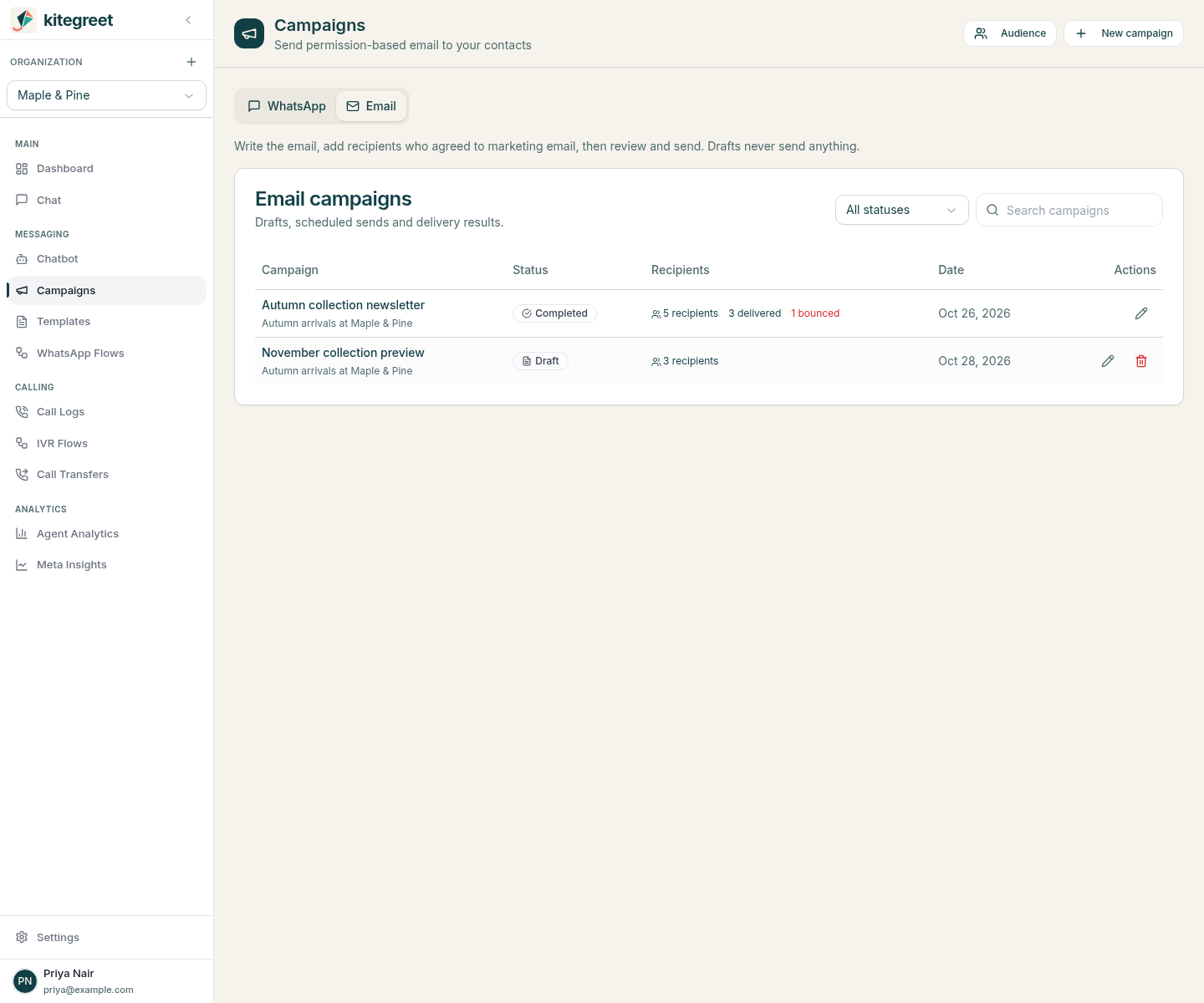
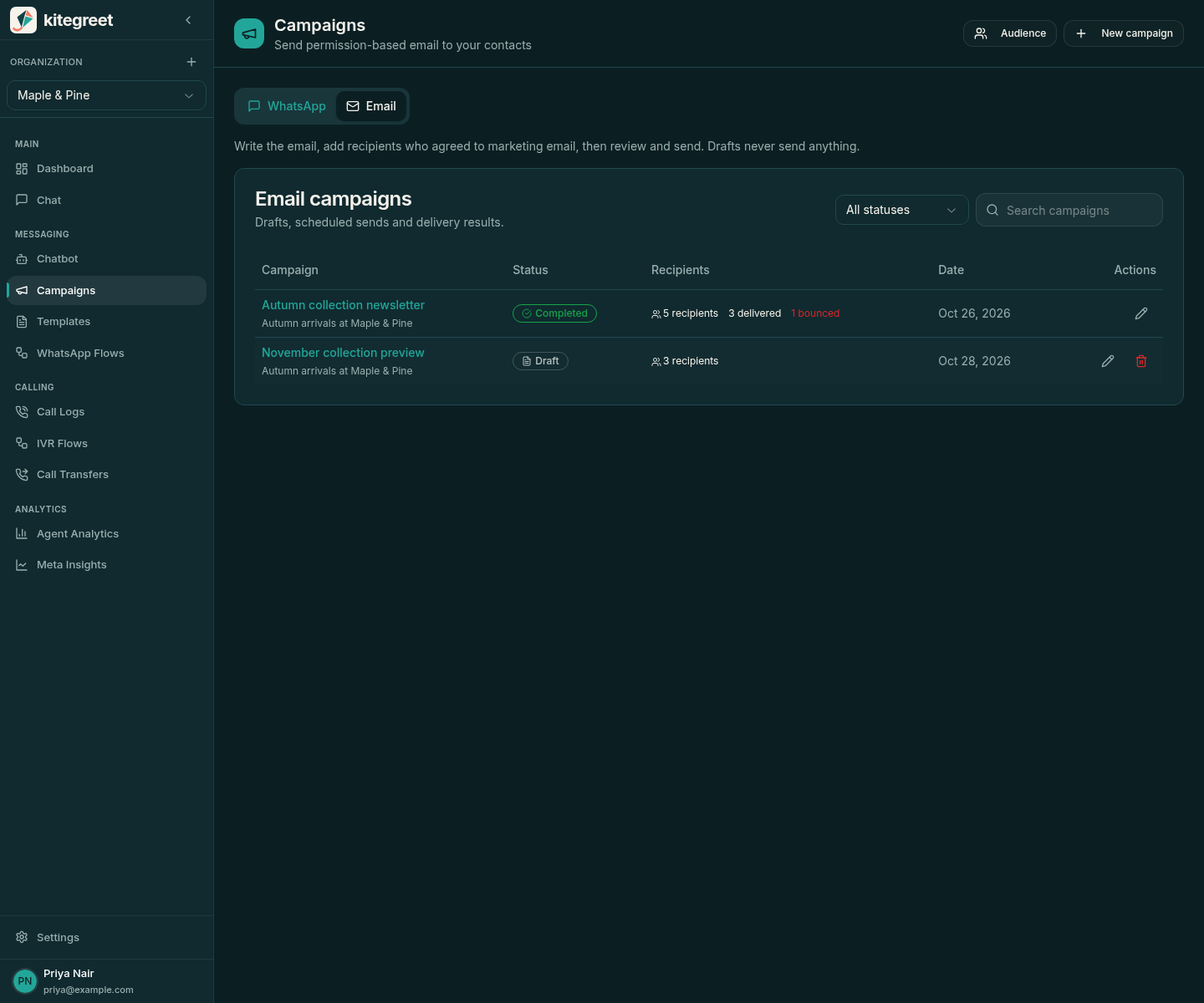
WhatsApp and email campaigns share one Campaigns page. Switch channel with the WhatsApp | Email tabs at the top of the page; Templates works the same way. Where things are:
| Task | Location |
|---|---|
| Create, send and follow email campaigns | Campaigns > Email |
| Saved email content | Templates > Email |
| Email contacts and suppressed addresses | Campaigns > Email > Audience |
| Sender, delivery events and reply mailboxes | Settings > Email |
The old /email-campaigns links redirect to Campaigns > Email.
Users need campaigns:read to access the workflow, campaigns:write to manage templates, drafts and recipients, campaigns:delete to delete templates and unlaunched campaigns, and campaigns:execute to run provider tests, send, schedule, pause, resume, or cancel.
Sender settings require accounts:read and accounts:write as appropriate.
Campaign pages show a banner, with a link to Settings > Email for users who can fix it, when the sender is not set up, not ready, or switched off by the server operator.
All operations are scoped to the active organization.
-
Choose New campaign, name it, and start from a saved template or a blank email. The name is internal; recipients see the subject. Template content is copied when the draft is created, so later template edits do not change the campaign. A template page’s Use in campaign opens the same dialog with that template selected.
-
Write the content in the Content tab. Use
{{name}},{{email}}, and additional named variables matching CSV columns. Missing variables and unknown placeholder syntax are rejected. HTML permits a small set of structural tags and HTTPS links/images or mailto links; scripts, forms, inline styles, handlers, and active content are rejected. HTML variable values are escaped. The plain-text version is generated from the HTML unless you choose to write it yourself. The live preview beside the editor fills each variable with an example value (the first recipient’s values once recipients exist) and renders inside a sandboxed iframe with a restrictive content security policy, including blocked remote images. Unsaved changes are flagged, and leaving the page asks for confirmation. -
Choose Add recipients. Upload or paste a CSV with an
emailcolumn, optionallyname,consent_source, and custom variable columns:email,name,offeralex@example.com,Alex,October newsletterbob@example.com,Bob,October newsletterThe dialog shows how many recipients it found, the first rows, and any variable used by the email that has no matching column. Supply a consent source and explicitly confirm permission for email marketing before adding. Alternatively, choose Saved contacts to add people imported for earlier campaigns. Only contacts that still have consent and are not suppressed are offered; because saved contacts carry only a name and email, this option is unavailable when the email uses other variables. Imports validate the entire batch before writing, accept at most 10000 rows, and skip duplicate campaign addresses. The browser accepts files up to 5 MB. Email identities preserve the local part exactly and normalize only the domain case, without removing plus tags or dots. Suppression matching is deliberately conservative and case-insensitive so address variants cannot bypass an opt-out. Email identities are not automatically linked or merged with WhatsApp contacts. Email consent is independent of WhatsApp’s marketing opt-out. Existing withdrawn consent and suppressions cannot be restored by importing again.
-
Optionally use the Test tab to check the saved content with the provider without delivering it, or (Postmark only) send one confirmed email to yourself.
-
The Before you send checklist shows whether content, audience and sender are ready. When all three are, choose Review and send. Review validates content, every recipient’s variables, the sender and provider readiness, then locks content and recipients. Choose Back to editing to make changes after review.
-
In the confirmation dialog, check the recipient count, subject, From and Reply-To, choose Send now or Schedule for later (shown in your browser’s time zone), and confirm. The API stores an absolute timestamp. Launch atomically freezes sender, content, audience, and each recipient’s personalized content.
-
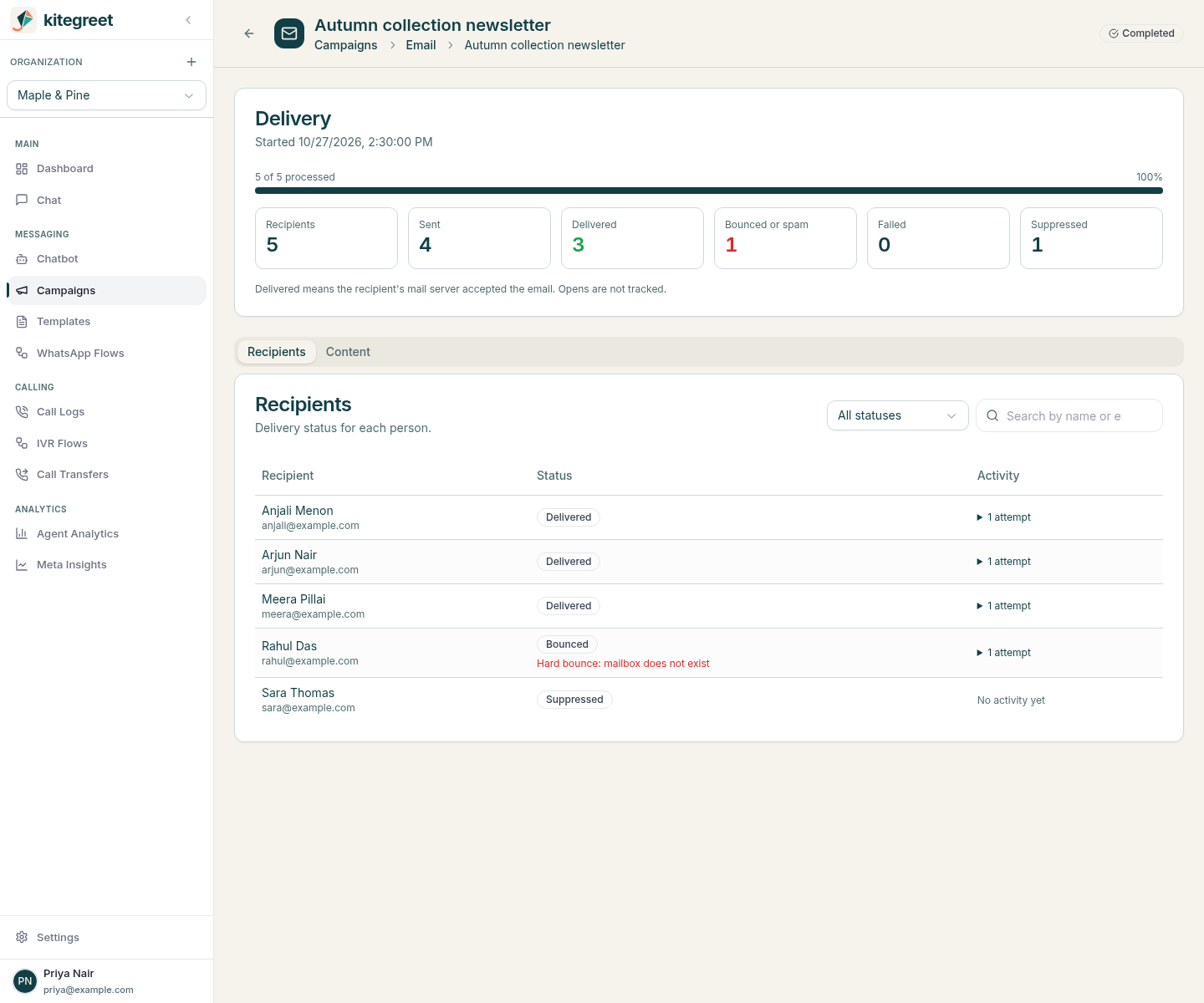
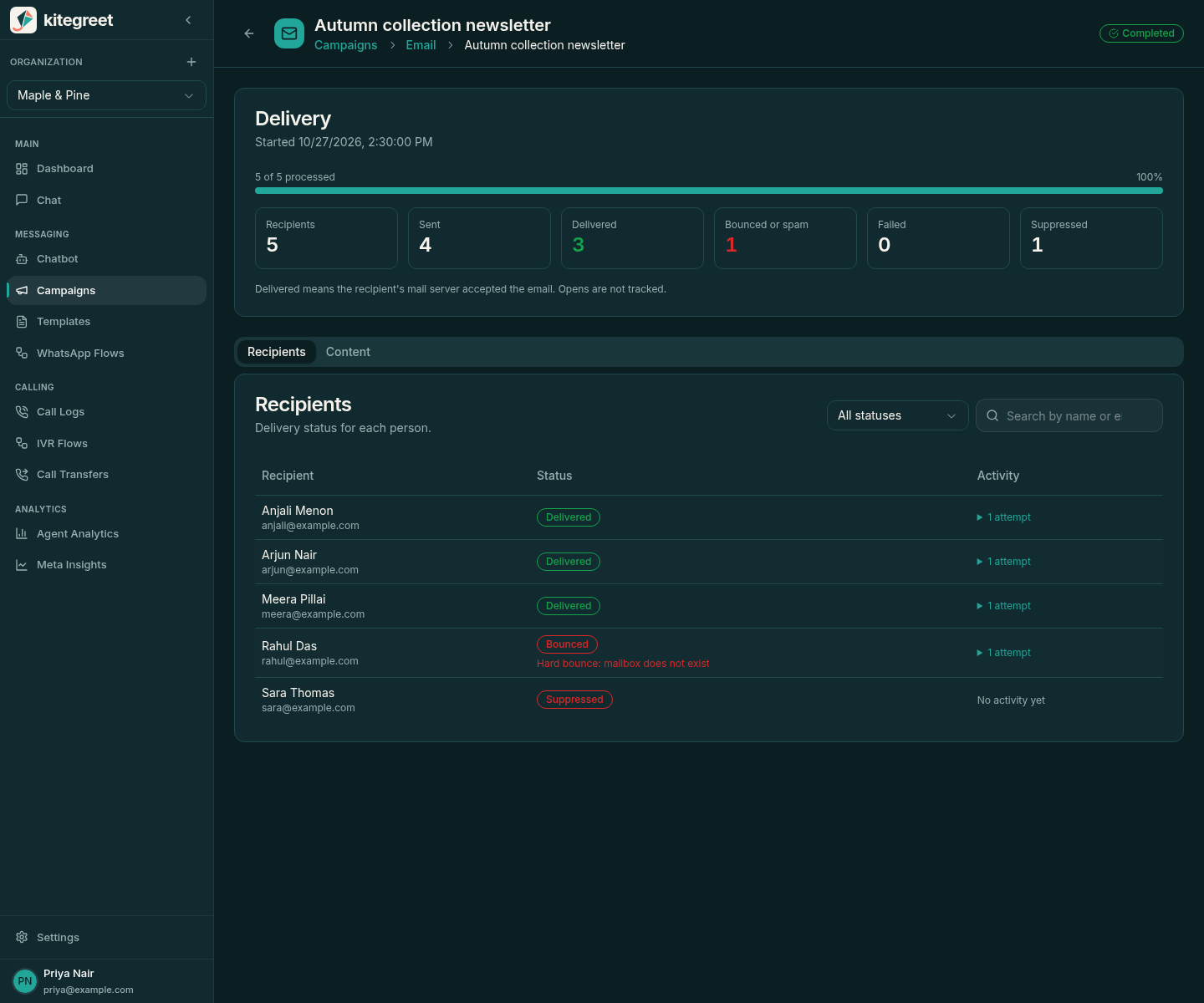
Follow the Delivery summary (recipients, sent, delivered, bounced or spam, failed, suppressed) and the Recipients tab. Filter recipients by status or search by name or email, and expand a recipient’s activity for attempts, failures and provider events. Pages refresh automatically while a campaign is scheduled or sending.
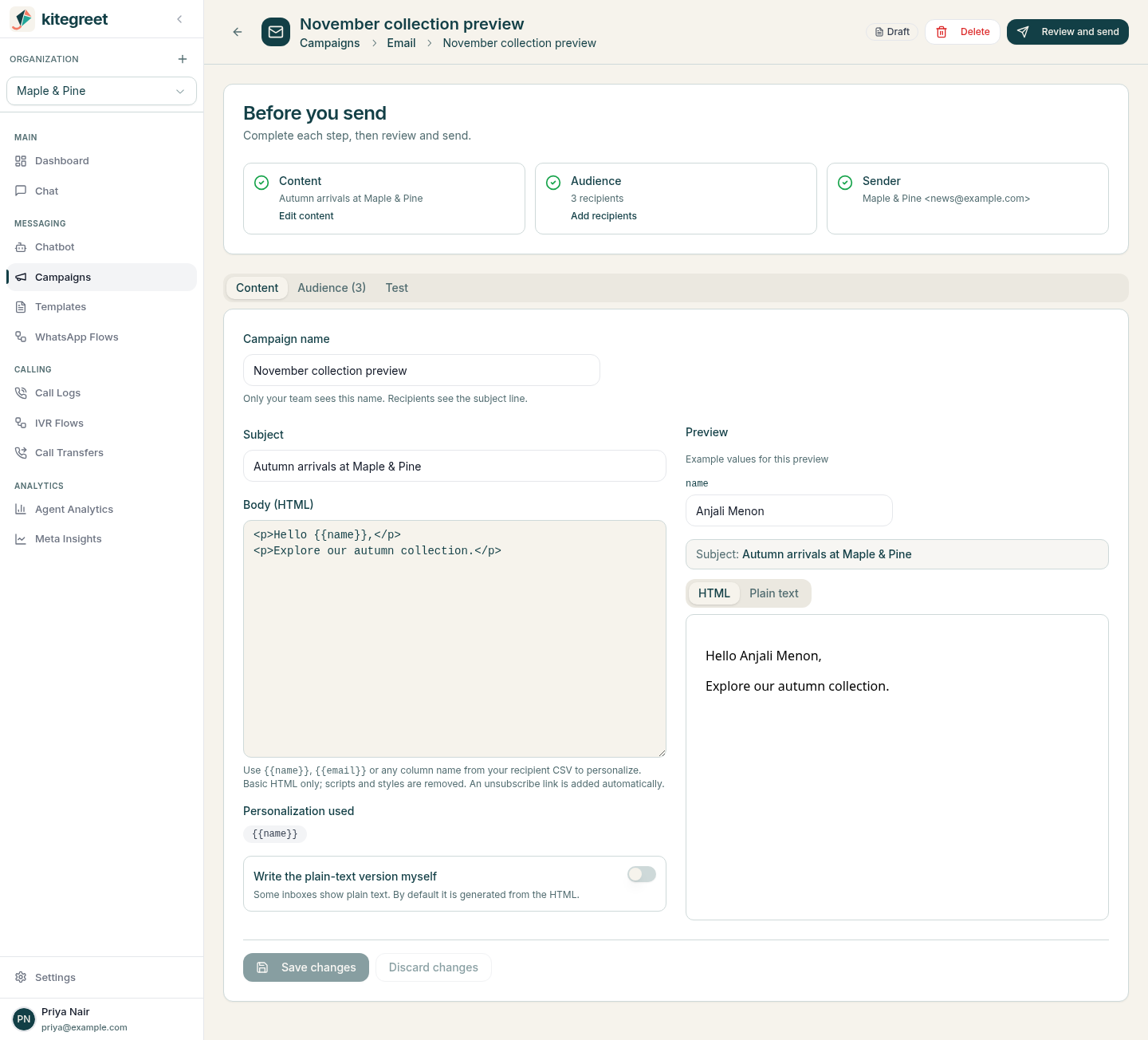
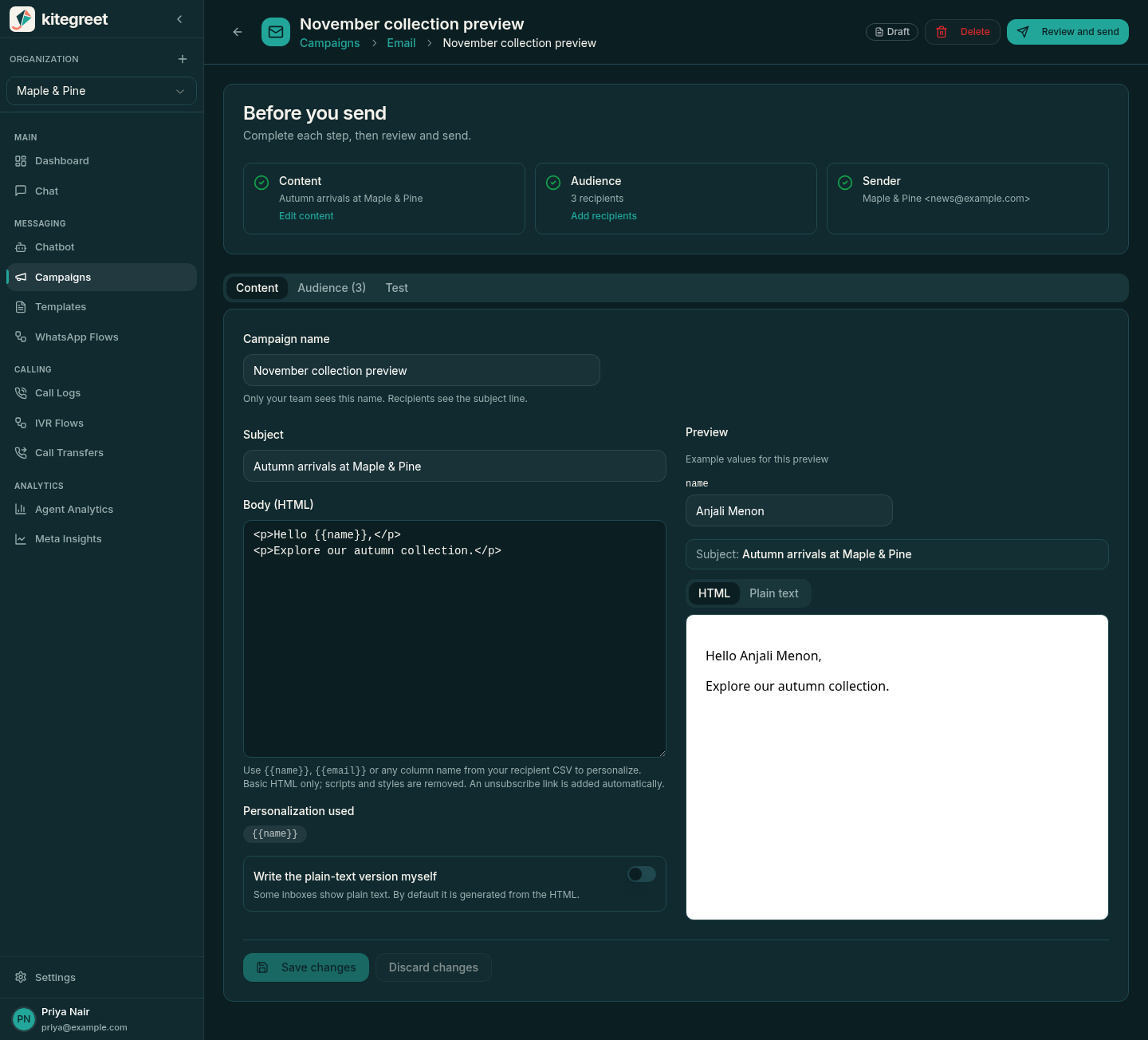
Drafts and reviewed campaigns that never launched can be deleted with their recipient list. Launched campaigns keep their delivery record and can only be cancelled. Deleting a template never affects campaigns created from it.
Pause stops new attempts and preserves remaining work. Resume retains an original future schedule or runs immediately if that schedule has passed. Cancel campaign asks for confirmation, then permanently cancels recipients that have not started; cancelled campaigns cannot resume. An already authorized provider request can complete after pause, cancel, or unsubscribe. Controls cannot recall accepted email. A campaign becomes completed when no pending, retryable, or sending recipients remain; delivery callbacks can continue updating recipient history afterwards.
Consent and unsubscribe
Section titled “Consent and unsubscribe”Every personalized email contains a visible KiteGreet unsubscribe link.
Postmark sends also retain their Postmark-managed unsubscribe footer.
SES sends include List-Unsubscribe: <https://.../api/email/unsubscribe/TOKEN> and List-Unsubscribe-Post: List-Unsubscribe=One-Click, with SES DKIM signing required by readiness.
SES list management is not enabled, so SES does not replace KiteGreet headers or maintain a competing consent list.
The KiteGreet link presents a confirmation form on GET so link scanners do not withdraw consent.
A signed, cookie-independent POST withdraws email consent and creates an organization-scoped suppression idempotently.
Postmark supplies its documented RFC 8058 one-click List-Unsubscribe headers and URL, rather than KiteGreet guessing or overriding its headers.
Postmark unsubscribe callbacks create local suppressions, and the worker also queries Postmark’s address suppression endpoint immediately before every send.
This prevents a delayed subscription webhook from allowing a suppressed provider address through the queue.
Hard bounces, inactive bounce events, and complaints also suppress future marketing email.
Local suppressions are organization-wide across providers and regions; switching providers never restores consent.
Provider account suppression lists retain their provider/account/regional scope and are queried only by that provider.
Before switching, operators must reconcile any provider suppressions whose callbacks were not received, since KiteGreet cannot discover an entire remote suppression list by checking only current recipients.
KiteGreet remains authoritative for audience, campaign, and consent records. Provider reactivation events are recorded but never undo local suppressions or grant consent. Phase 1 offers no self-service suppression removal or re-consent workflow. All local suppression checks and identity consent checks fail closed before sending, including for campaigns scheduled before the unsubscribe.
Delivery semantics and recovery
Section titled “Delivery semantics and recovery”Statuses distinguish pending, sending, accepted, delivered, bounced, complained, suppressed, retryable, failed, uncertain, and cancelled.
Accepted means the selected provider accepted the API request; delivered means the receiving mail server accepted the email, not that a person read it or that it reached the inbox.
Open and link tracking are disabled, and open callbacks do not create WhatsApp-style read receipts.
Each provider POST is preceded by a committed attempt containing organization, recipient, and attempt identifiers. These identifiers are included in Postmark metadata or SES message tags for reconciliation. For Postmark, only an explicit HTTP 429 rejection is automatically retryable after a send request, with increasing minute delays and a maximum of three total attempts. Read-only readiness/suppression failures use the same bounded attempt budget without sending. Invalid/inactive recipients and other definitive 4xx rejections do not retry automatically. Timeouts, broken or malformed success responses, and 5xx responses have uncertain outcomes and never retry automatically. After a process crash, sending attempts older than two minutes become uncertain. There is no exactly-once delivery guarantee because neither provider’s single-send API provides a caller idempotency-key contract.
To investigate uncertain delivery, find the attempt ID and recipient in KiteGreet history, then check Postmark activity and the included metadata. A matching delivery, bounce, or complaint callback can reconcile an uncertain attempt even when the synchronous response never recorded a MessageID. Phase 1 does not expose a manual resend button for uncertain attempts. Do not create a replacement campaign for those recipients without resolving whether Postmark accepted the original send. Duplicate callbacks are stored once, and an earlier delivery event cannot overwrite an observed bounce or complaint. Failed database mutations return a retryable callback response rather than acknowledging lost events. Authenticated callbacks have their own per-organization limit of 1000 events per minute, rather than the generic API per-IP limit. Monitor worker logs, uncertain/failed recipient counts, Postmark callback verification, and Postmark suppression activity.
Validation without live email
Section titled “Validation without live email”Use disposable PostgreSQL and Redis services; tests can reset their database. Never point the test database at a shared development or production database.
TEST_EMAIL_DATABASE_URL='postgres://postgres:password@127.0.0.1:5432/kitegreet_test?sslmode=disable' \TEST_EMAIL_REDIS_URL='redis://127.0.0.1:6379/0' \go test -race ./internal/email
TEST_DATABASE_URL='postgres://postgres:password@127.0.0.1:5432/kitegreet_test?sslmode=disable' \TEST_REDIS_URL='redis://127.0.0.1:6379/0' \go test ./internal/handlers -run '^TestEmailHTTP'
cd frontendnpm run typechecknpm run test:unit -- src/services/email.spec.ts src/services/emailInbox.spec.ts
The provider contract tests use local HTTP mocks, including malformed responses, HTTP 429, 4xx/5xx, and timeout after acceptance.
Database tests cover immutable snapshots, tenant isolation, import consent, unsubscribe after scheduling, provider suppression, duplicate consumers/events, out-of-order callbacks, bounded retry, crash recovery, and pause/cancel races.
The local browser harness and script in frontend/src/views/settings/__tests__/email-campaigns.browser.cjs exercise real Vue pages against the real HTTP/service/database workflow with a provider that cannot deliver mail.
For the inbox browser round trip, start TestEmailInboxBrowserHarness with EMAIL_INBOX_BROWSER_HARNESS_FILE set to a fresh temporary JSON path and disposable TEST_DATABASE_URL/TEST_REDIS_URL, then run frontend/src/views/settings/__tests__/email-inbox.browser.cjs with the same fixture variable.
Set EMAIL_INBOX_BROWSER_PROVIDER=ses EMAIL_INBOX_BROWSER_RECEIVING=ses on the Go harness to exercise signed SNS receiving and bounded mocked S3 MIME; omit these for the Postmark regression.
Start Vite locally on port 3108 or set BASE_URL to the full local /chat URL, and set CHROMIUM_PATH when the locally installed Chromium differs from the script default.
The script routes email HTTP requests to the real local handlers/database with fixture authentication, substitutes empty responses for surrounding navigation data, and never connects to a live email provider.
A successful run writes a .done marker beside its fixture, allowing the Go harness to complete and clean up its own rows.
Use a fresh fixture filename per run to avoid reusing that marker.
Official Postmark contracts
Section titled “Official Postmark contracts”- Email API
- API responses and error codes
- Message Streams API
- Servers API
- Domains API
- List-Unsubscribe and one-click behavior
- Unsubscribe placeholder
- Webhooks API
- Webhook authentication
- Subscription change events
- Suppressions API
Official AWS contracts
Section titled “Official AWS contracts”- SES v2 SendEmail
- SES account readiness and regional quotas
- SES IAM actions and resource scopes
- SNS subscription permissions
- SES configuration-set SNS publishing and topic policy
- SES event payloads and tags
- SNS signature canonicalization and certificate verification
- SNS subscription confirmation protocol
- SES v2 custom unsubscribe headers